

How long should an intake form be? Long enough to tell you whether a call is worth booking, and not one question longer. The test we suggest is simple: if you wouldn't ask it in the first ten minutes of a call with a stranger, it doesn't belong on the form yet. Move it to the questionnaire you send after you've both said yes.
That test rules out more than you'd expect. Brand values in three words, or a list of every page the new site needs, are good questions asked too early. People leave them blank or type "not sure", and the answers that do come in sit in your inbox looking important.
Why is there no single right number?
Guides on form length give different numbers, partly because they count different things. A contact form for a plumber and an intake form for a branding studio do different jobs. Some guides count fields, so first name and last name are two; others count questions. And a form can hold twenty questions in the builder while each person sees ten, if it shows each person only the questions that apply to them.
The person filling it in only ever meets that smaller number, so that's the one to keep low.
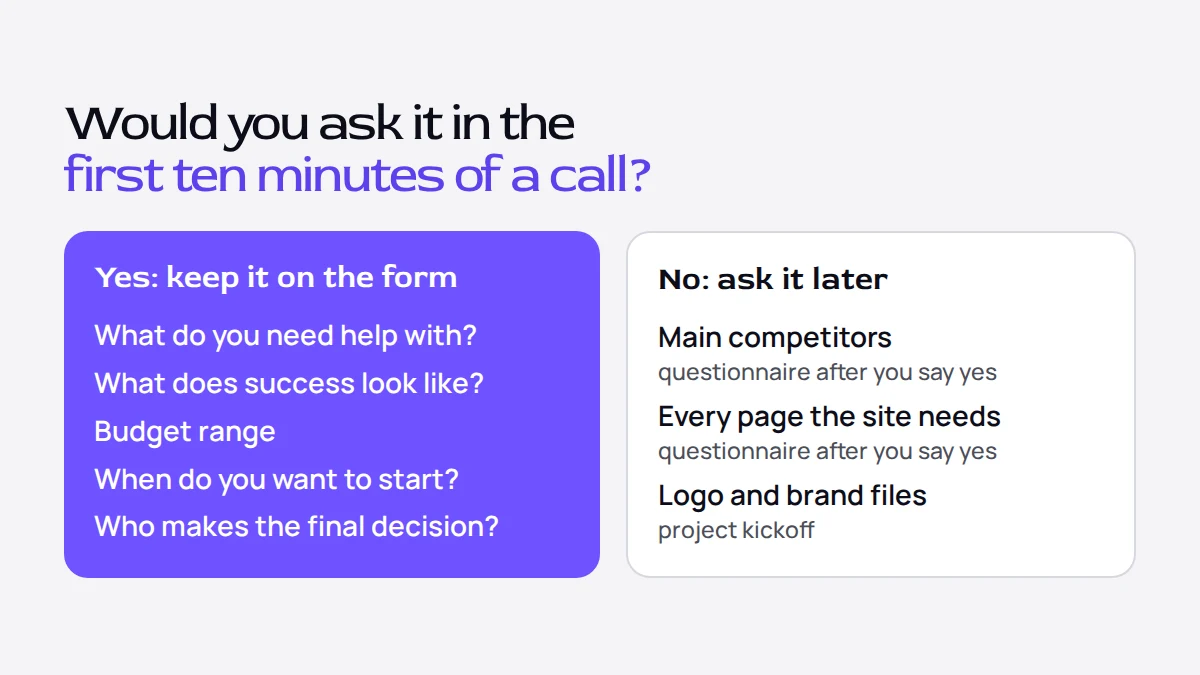
The test: would you ask it in the first ten minutes of a call?
The job of an inquiry form is to tell you whether a call is worth booking and what to say when you reply. The first ten minutes of a call do the same job, which is why they make a good measure. In those minutes you need to learn what the person needs, why now, roughly how much they plan to spend, by when, and who else decides. Brand adjectives and a full page list can wait until the project is agreed. "Brand values in three words" is a lovely workshop question. Asked before you've even said hello, it's a bit much.
The GOV.UK Service Manual, written for teams that build public services, sets a broader rule: "make sure you know why you're asking every question." The ten-minute test is one way to apply it to an inquiry. If you cannot say what you would do differently with an answer before the first call, that question belongs later.
Run a few common inquiry questions through it:
| Question | Would you ask it in the first ten minutes? | Where it goes |
|---|---|---|
| What do you need help with? | Yes | The form |
| What does success look like for you? | Yes | The form |
| Budget range | Yes | The form |
| When do you want to start? | Yes | The form |
| Who makes the final decision? | Yes | The form |
| Your three main competitors | No | The questionnaire after you say yes |
| Every page the site needs | No | The questionnaire after you say yes |
| Upload your logo and brand files | No | The project kickoff |
| Brand values in three words | No | The workshop |
Count the questions each person sees, not the ones in the builder
The quickest way to shorten a form without losing anything is to stop asking everyone everything. If you offer branding and websites, a branding client does not need your questions about page counts, and a website client does not need your questions about naming.
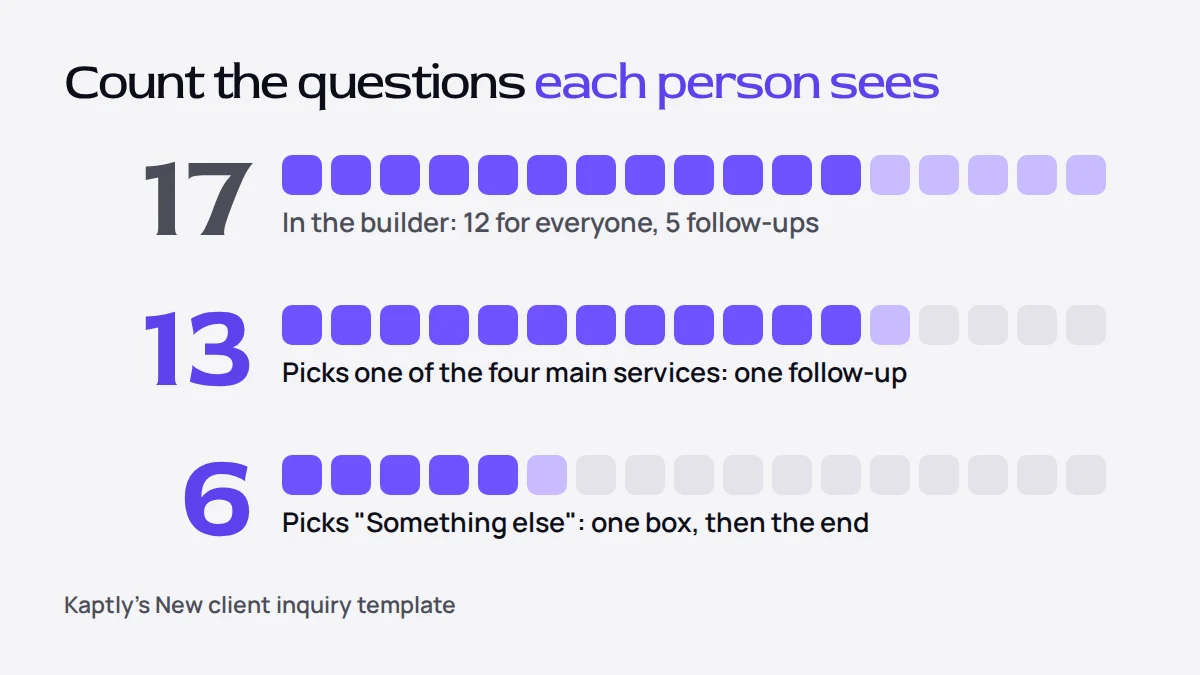
Kaptly, our product, has a New client inquiry template that works this way. It holds 17 questions: 12 that everyone sees, and five follow-ups, one for each kind of service. The answer to "What do you need help with?" decides which single follow-up appears. So anyone who picks one of the four main services answers 13 questions, and someone who picks "Something else" answers six: name, email, company, how they found you, the service, and one box to describe what they need, after which the form goes straight to the end.
Does a different layout make the form shorter?
Spreading a form over steps, or putting several questions on one screen, changes how the form feels. It does not change how much you ask. Tim Paul, who wrote the GOV.UK guidance on putting one thing on each page, was asked in the comments about grouping questions together to make long forms easier. He agreed that research can show which questions belong together, and warned that grouping "shouldn't be used to mask the fact that you've got too many questions."
So cut questions first, and choose the layout afterwards.
How do you cut a form you already have?
Work through it with your recent inquiries open next to it:
- Write down every question on the form, including the optional ones.
- Mark each one with the ten-minute test: yes or no.
- For every yes, look at the inquiries you received. If the answers never changed what you did, move the question to the no column.
- Move every no to the place it belongs: the questionnaire after you agree to work together, the kickoff, or nowhere.
- Look at what is left and ask which questions only some people need. Those become follow-ups that appear only for them.
- Make a question required only if you cannot reply without its answer.
When you're done, read the form aloud as if you were asking the questions on a call. If a question would sound odd said to someone you met ninety seconds ago, it reads odd on the form too.
If budget is one of the questions you kept, the article on asking for budget on your contact form has wording and ranges you can copy.
What this looks like in Kaptly
Every question in a Kaptly form can be set to appear only when an earlier answer matches, which is how the New client inquiry template shows one follow-up instead of five. You can start from the New client inquiry template after creating an account and cut it down to your own services, or read in the Guide how conditional questions work before you build your own.